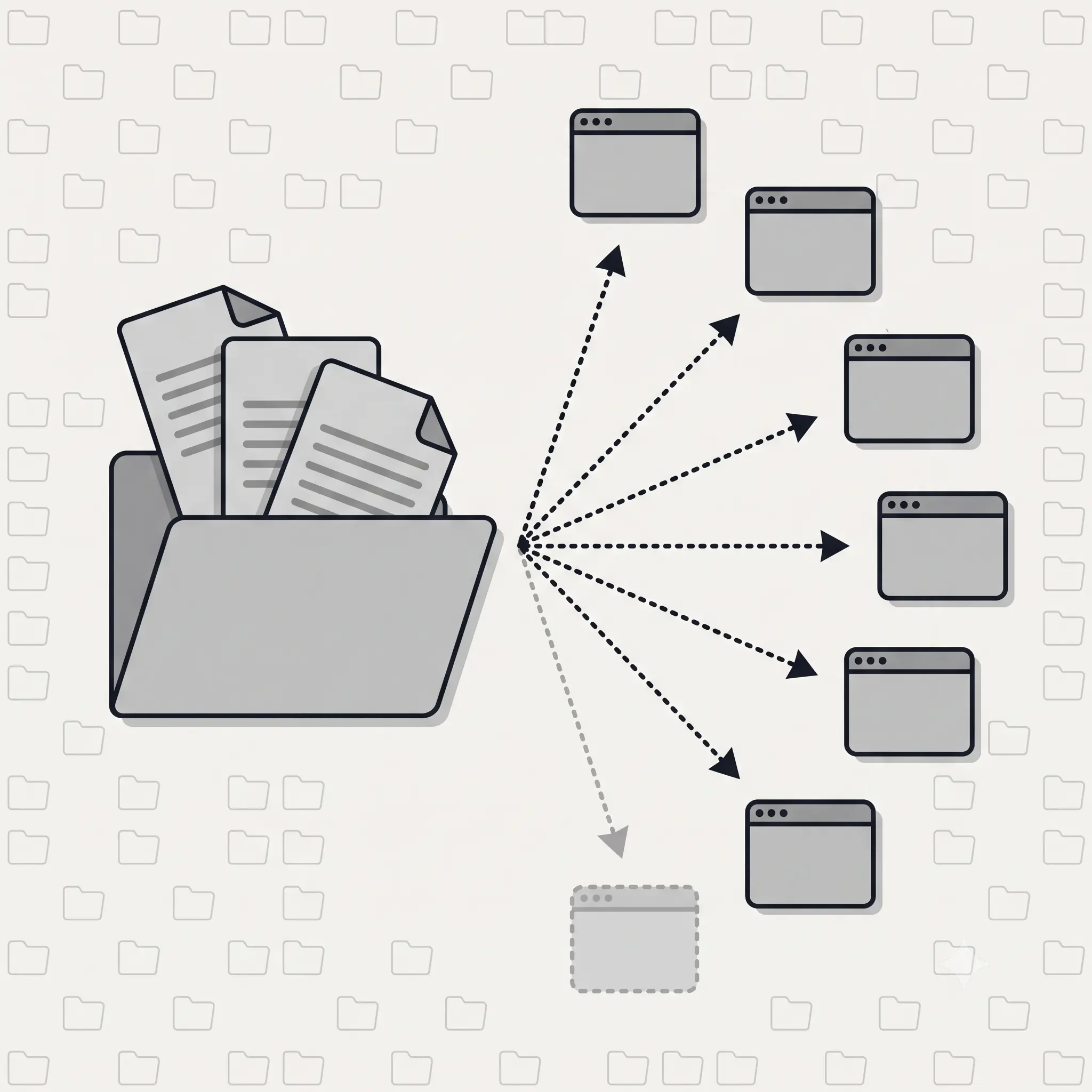
On August 6, 2026, six of the largest companies in AI shipped something unusual: an agreement. Agent Plugins 1.0.0 is an open, vendor-neutral standard for packaging the two things that make an AI agent useful — Agent Skills (reusable instructions) and MCP servers (connections to tools and data) — into a single folder that works across ChatGPT, Codex, Cursor, GitHub Copilot, Kiro, and VS Code. Vercel proposed it; AWS, Anysphere, GitHub, Microsoft, and OpenAI refined it. Anthropic, whose SKILL.md format powers the “skills” half of every plugin, is not on the list. Most coverage stopped there and concluded that Claude users are locked out. That conclusion is wrong, and this guide shows exactly why — along with what a plugin actually contains, what the spec deliberately refuses to standardize, and a naming collision that will bite anyone who builds for both Claude Code and the new standard.
Key Takeaways
- Agent Plugins is a packaging format, not a marketplace. It defines a folder with a
plugin.jsonmanifest that bundles Agent Skills and MCP servers. Version 1.0.0 shipped August 6, 2026. - Six clients supported it at launch: ChatGPT, Codex, Cursor, GitHub Copilot, Kiro, and VS Code. It was proposed by Vercel and built with AWS, Anysphere (Cursor), GitHub, Microsoft, and OpenAI.
- Anthropic is absent from the partner list — but plugins install into Claude Code today. The
pluginsCLI lists Claude Code as a supported target and translates the portable format into Claude’s own plugin system. “Not a launch partner” and “doesn’t work there” are two different claims. - The manifest requires exactly two fields.
$schemaandname. Everything else is optional, and unknown top-level fields are rejected outright. - The spec deliberately excludes distribution, permissions, and marketplaces. The authors call it “a small interoperability floor for the parts that can be portable.” That restraint is the reason it got six signatures.
What Is an Agent Plugin?
An agent plugin is a folder containing a plugin.json manifest that bundles Agent Skills and MCP server configurations, so any compatible AI agent client can discover and load them. That is the entire idea: one format, instead of a different manifest, folder layout, and setup process for every tool you want to support.
Before August 2026, every agent product expected its own structure. A skill written for one client had to be reworked for the next. An MCP server configured for Cursor needed a different config block for Copilot. Authors maintained parallel versions of the same capability; clients each invented their own discovery mechanism.
Agent Plugins collapses that into a single portable unit. Build the folder once, and every compatible client knows where to look for the skills, where to find the MCP config, and how to read the manifest.
The short version: skills and MCP servers were already open formats. What was missing was an envelope to put them in. Agent Plugins is the envelope.
Who Created Agent Plugins?
Agent Plugins was proposed by Vercel and refined with AWS, Anysphere (the maker of Cursor), GitHub, Microsoft, and OpenAI. Governance sits with an ongoing Technical Steering Committee whose core maintainers come from AWS, Cursor, Microsoft, OpenAI, and Vercel. Decisions happen in public GitHub discussions, and the project is openly licensed — no single company’s roadmap sets the format’s direction.
| Role | Who |
|---|---|
| Proposed by | Vercel |
| Built with | AWS, Anysphere (Cursor), GitHub, Microsoft, OpenAI |
| Technical Steering Committee | AWS, Cursor, Microsoft, OpenAI, Vercel |
| Clients supporting at launch | ChatGPT, Codex, Cursor, GitHub Copilot, Kiro, VS Code |
| Not among launch partners | Anthropic (Claude), Google (Gemini) |
Two absences are worth naming precisely. Anthropic is not a launch partner or steering committee member, even though the SKILL.md format that powers the skills half of every plugin originated there. Google is also absent. Neither company has said it will reject the standard; they simply were not part of the launch.
Accuracy note: some early aggregator coverage claimed “Google and Amazon” joined the effort. Amazon is real — it appears in the primary sources as AWS, both as a contributor and on the steering committee. Google does not appear in the Vercel announcement or on agent-plugins.org. Treat any claim that Google joined as unverified.
What’s Actually Inside a Plugin?
A plugin is a directory with a manifest at the root, a skills/ folder, and an optional mcp.json. Here is the layout the specification illustrates:
my-plugin/
├── plugin.json              # required: manifest
├── skills/
│   └── summarize/
│       ├── SKILL.md         # the skill itself
│       ├── scripts/
│       │   └── analyze.sh
│       └── references/
│           └── checklist.md
├── mcp.json                 # MCP server configuration
├── com.example.client/      # optional client-specific extras
│   └── hooks/
├── LICENSE
└── CHANGELOG.md
The manifest requires only two fields
This surprises people who expect npm-style ceremony. Per §5.3 of the spec and the published JSON Schema, a complete and valid plugin.json can be this short:
{
  "$schema": "https://agent-plugins.org/schemas/1.0.0/plugin.schema.json",
  "name": "minimal-plugin"
}
$schema is a constant — it must be that exact URL, which is how the manifest declares which spec version it targets. name is lowercase, capped at 64 characters, and cannot contain consecutive dots or dashes.
Everything else is optional metadata: version, description, author, homepage, repository, license, keywords, and extensions.
Gotcha: the schema sets additionalProperties: false. Unknown top-level keys make the manifest invalid. Anything client-specific belongs in the extensions object or in a reverse-domain namespace folder — never at the root.
MCP servers are declared in mcp.json
The MCP half supports three transports: stdio (a local process), Streamable HTTP (the current remote transport), and legacy HTTP+SSE for older servers.
Client-specific extras live in namespace folders
Reverse-domain folders like com.example.client/ let a client add its own extensions — hooks, commands, sub-agents — without breaking the portable core. A plugin stays valid everywhere even when one client bolts on extras that only it understands.
Skills vs. MCP Servers vs. Plugins
Skills teach an agent how to do something, MCP servers give an agent access to tools and data, and a plugin is the package that bundles both so they travel together. These are layers, not competitors — a point that gets muddled constantly.
| Concept | What it is | What it does | Analogy |
|---|---|---|---|
| Agent Skill | A SKILL.md file plus resources | Gives the agent reusable know-how for a task | The recipe |
| MCP server | A service the agent connects to | Gives the agent live access to tools, APIs, and data | The kitchen tools |
| Agent Plugin | A folder with plugin.json | Packages skills and MCP configs into one portable unit | The meal kit |
You could always write a skill or run an MCP server on its own. Agent Plugins is the shipping container that lets you hand someone both at once and have it work in whichever agent they happen to use. For a deeper comparison of the first two layers, see our guide to Skills vs. MCP Servers.
What Agent Plugins Standardizes (and What It Refuses To)
The standard covers exactly two things — how clients discover and load Agent Skills and MCP servers — and deliberately nothing else. Vercel’s announcement is explicit: “Version 1 focuses that contract on two component types: Agent Skills and MCP servers… Other components, such as commands, hooks, and agents, remain with clients.”
| In scope | Out of scope (left to each client) |
|---|---|
| The plugin folder layout | Distribution and marketplaces |
The plugin.json manifest | Installation and updates |
How skills are declared (skills/) | Permissions and security policy |
How MCP servers are declared (mcp.json) | Runtimes and user experience |
| Namespace folders for client extras | Commands, hooks, and sub-agents |
That restraint is the whole reason six competitors signed the same document. A standard that tried to define permissions or an app store would have required each company to concede something strategic. A standard that defines only the portable core costs nobody anything — and leaves room for products to compete on discovery, curation, and trust.
Does Claude Code Support Agent Plugins?
Anthropic is not a launch partner — but you can install Agent Plugins into Claude Code today. These are two separate facts, and most coverage has collapsed them into one wrong conclusion.
Here is what is actually true. Claude Code is not on the six-client launch list, and Anthropic holds no seat on the steering committee. Yet the plugins CLI — which is how plugins are actually distributed in practice — installs to Claude Code as a first-class target:
npx plugins add vercel/vercel-plugin
Vercel’s own plugin documentation lists Claude Code as Supported, alongside OpenAI Codex, Grok Build, Cursor, GitHub Copilot, and Kimi Code. Three of those are not launch clients either. The CLI auto-detects which agent tools you have installed and sets up every one it finds.
| Claim | Status |
|---|---|
| Anthropic is a launch partner or TSC member | False — absent from both primary sources |
| Claude Code is on the six-client launch list | False — the list is ChatGPT, Codex, Cursor, Copilot, Kiro, VS Code |
| Plugins can be installed into Claude Code today | True — via npx plugins add |
Be precise about the mechanism. Claude Code is not documented as natively parsing the Agent Plugins plugin.json. The CLI translates the vendor-neutral format into each target’s native format and installs through that client’s own plugin system. The accurate phrasing is “plugins install into Claude Code via the CLI” — not “Claude Code supports Agent Plugins.”
The practical implication for anyone building on Claude today: keep your skills as clean, standard SKILL.md files and your MCP configs declarative. That is not just insurance against a future adoption announcement — it is what makes the translation layer work right now.
The plugin.json Naming Collision
Claude Code’s existing marketplace format uses .claude-plugin/plugin.json. Agent Plugins uses a root-level plugin.json. Same filename, different files, different schemas.
This is the single most likely source of confusion for developers moving between the two ecosystems, and almost nobody is flagging it. If you read “plugin.json” in a tutorial, a README, or an AI-generated answer, check which one is meant before you copy the structure.
| Claude Code plugin | Agent Plugin | |
|---|---|---|
| Path | .claude-plugin/plugin.json | plugin.json (repo root) |
| Scope | Claude Code marketplace ecosystem | Cross-vendor, six launch clients |
| Required fields | Client-defined | $schema and name |
Tools already bridge the two. The npx skills CLI discovers skills via .claude-plugin/marketplace.json and .claude-plugin/plugin.json for compatibility with the Claude Code marketplace, while also supporting some 75 agent clients. Interoperability is arriving through tooling faster than through the spec.
How to Build Your First Agent Plugin
If you already have skills or an MCP server, packaging them takes about five minutes. There is no build step, no registry account, and no publishing ceremony.
- Create the folder. Any directory name works — the manifest carries the real name.
- Move your skills into
skills/. One subdirectory per skill, each containing aSKILL.md. If you have never written one, start with our guide to creating your first skill. - Declare MCP servers in
mcp.json. Pick the transport that matches your server: stdio for local processes, Streamable HTTP for remote. - Add
plugin.json. Two required fields. Adddescription,version, andlicensetoo — they cost nothing and make the plugin legible to humans. - Push to GitHub. That is your distribution. The repo URL is the install address.
Validate before you ship. Point a JSON Schema validator at your manifest using the $schema URL. Because additionalProperties is false, a single stray field — a leftover main or type from a package.json you copied — silently invalidates the whole manifest.
How to Install an Agent Plugin
One command installs a plugin into every compatible agent tool on your machine. The CLI accepts GitHub shorthand, full HTTPS or SSH URLs, and local paths.
# GitHub shorthand — the common case
npx plugins add vercel/vercel-plugin

# Full URL
npx plugins add https://github.com/vercel/vercel-plugin

# Local directory, for testing your own plugin
npx plugins add ./my-plugin
Remote repositories are shallow-cloned to ~/.cache/plugins/. The CLI detects which agent tools you have installed — Claude Code, Cursor, Codex, GitHub Copilot CLI, VS Code, Grok Build, Kimi Code — and installs to all of them, translating the vendor-neutral format into each one’s native structure.
To see what a substantial plugin looks like in practice, the Vercel plugin ships 28 skills covering the Vercel ecosystem, 3 specialist agents, and 5 slash commands. After installing, skills are invoked directly:
/vercel-plugin:nextjs
/vercel-plugin:deploy prod
Before You Install: What’s Actually Inside These Plugins
A plugin bundles MCP servers, and MCP servers are where the security risk lives. Portability makes it easier than ever to install someone else’s bundle in one command — which makes knowing what is inside it more important, not less.
On August 7, 2026 we ran every MCP server in our catalog through the same automated audit framework. Of 199 servers, here is what we found:
| Finding | Result |
|---|---|
| Servers publishing no auditable source at all | 86 of 199 (43%) |
| Hosted endpoints enforcing TLS-only transport | 80 of 80 (100%) |
| Hosted endpoints exposing OAuth metadata (RFC 9728) | 10 of 80 (12.5%) |
| Source repositories publishing an SBOM | 0 of 33 |
| Source repositories with a SECURITY.md | 21 of 33 (68%) |
| Source repositories with a committed lockfile | 29 of 33 (87%) |
| Source repositories with a license | 33 of 33 (100%) |
Two of those numbers deserve attention. Not one repository we could audit publishes a software bill of materials — SBOM adoption in this ecosystem is currently zero. And 87.5% of hosted MCP endpoints do not expose OAuth protected-resource metadata, the discovery mechanism that lets a client verify where a token should be sent.
The 43% figure is the uncomfortable one: nearly half the servers in a curated directory publish neither a repository nor an endpoint URL that any automated check can be pointed at. Portability does not fix that. If anything, it accelerates the spread of whatever is inside.
We publish the full scorecard for every server in our MCP directory, and the methodology behind it in our MCP security audit.
Why Agent Plugins Matter
Agent Plugins turns agent extensions from platform-specific glue into portable software — the same shift MCP brought to tool connections, now applied to packaging.
- For authors: one format, far less per-platform rework, and a larger audience for every plugin.
- For teams: a consistent way to distribute internal skills and MCP servers across whatever agents people already use.
- For users: more extensions that simply work in your client, and less lock-in to one vendor’s ecosystem.
- For the ecosystem: six major players agreeing on one format is a strong signal that skills and MCP are the durable primitives of agent tooling.
There is a second-order effect worth noting. By refusing to define a marketplace, the spec guaranteed that discovery would be solved somewhere else — by clients, by directories, or by whoever builds the best answer to “which plugin should I install, and is it safe?”
What’s Still Missing From the Standard
Packaging is solved. Transport is solved. Discovery and trust are not.
It is tempting to read the out-of-scope list as a set of open opportunities, but most of it filled in immediately. GitHub already supplies identity, hosting, and versioning — owner/repo is the canonical plugin ID, and git tags are the version history. The plugins CLI already handles installation and per-client translation.
What genuinely remains unsolved:
- Resolution. Given a need — “I want Stripe payments in my agent” — which
owner/repodo you type? The CLI assumes you already know. Repository search is keyword matching across a very large haystack. - Trust. Is this plugin safe, maintained, and does it do what its README claims? Nothing in the standard answers this, and the audit numbers above suggest the question is not academic.
- Permissions. Explicitly out of scope. Each client decides what a plugin is allowed to do, which means the same plugin has different privileges depending on where you install it.
- Native Claude and Gemini support. Translation works today, but a translation layer is a dependency, not a guarantee.
Frequently Asked Questions
How We Verified This
Every factual claim here traces to a primary source, checked on August 7, 2026 — the day after launch.
- Partners, clients, and scope — Vercel’s announcement post and agent-plugins.org. Where the two differ in wording (Vercel writes “Amazon Web Services (AWS)”, the spec site writes “Amazon”), we used AWS.
- Manifest fields — fetched directly from the published JSON Schema at
agent-plugins.org/schemas/1.0.0/plugin.schema.json, which declares"required": ["$schema", "name"], and cross-checked against §5.2–5.4 of the specification. - Claude Code support — Vercel’s plugin documentation, which lists Claude Code in its Supported tools table, plus the behavior of the
pluginsCLI. - MCP audit figures — our own audit run across 199 catalog servers on August 7, 2026. Per-server scorecards are published on each server’s page.
What would change this article: native Agent Plugins support landing in Claude Code or Gemini, a v1.1 spec that expands scope, or the arrival of a first-party discovery mechanism. The standard is days old; we will update as it moves.
Now It's Your Turn
Agent Plugins is a small standard, and that is its best feature. It defines a manifest, a skills folder, and an MCP config — then stops, leaving distribution, permissions, and marketplaces to the clients. The parts it left open filled in faster than anyone expected: GitHub already supplies identity and hosting, and the plugins CLI already handles installation across seven clients including Claude Code. What is still genuinely unsolved is not packaging or transport but discovery and trust — knowing which of the thousands of available plugins is worth installing, and whether the MCP servers inside it are safe. That is the problem worth watching, and the one this directory exists to solve.
Browse All Skills